
type
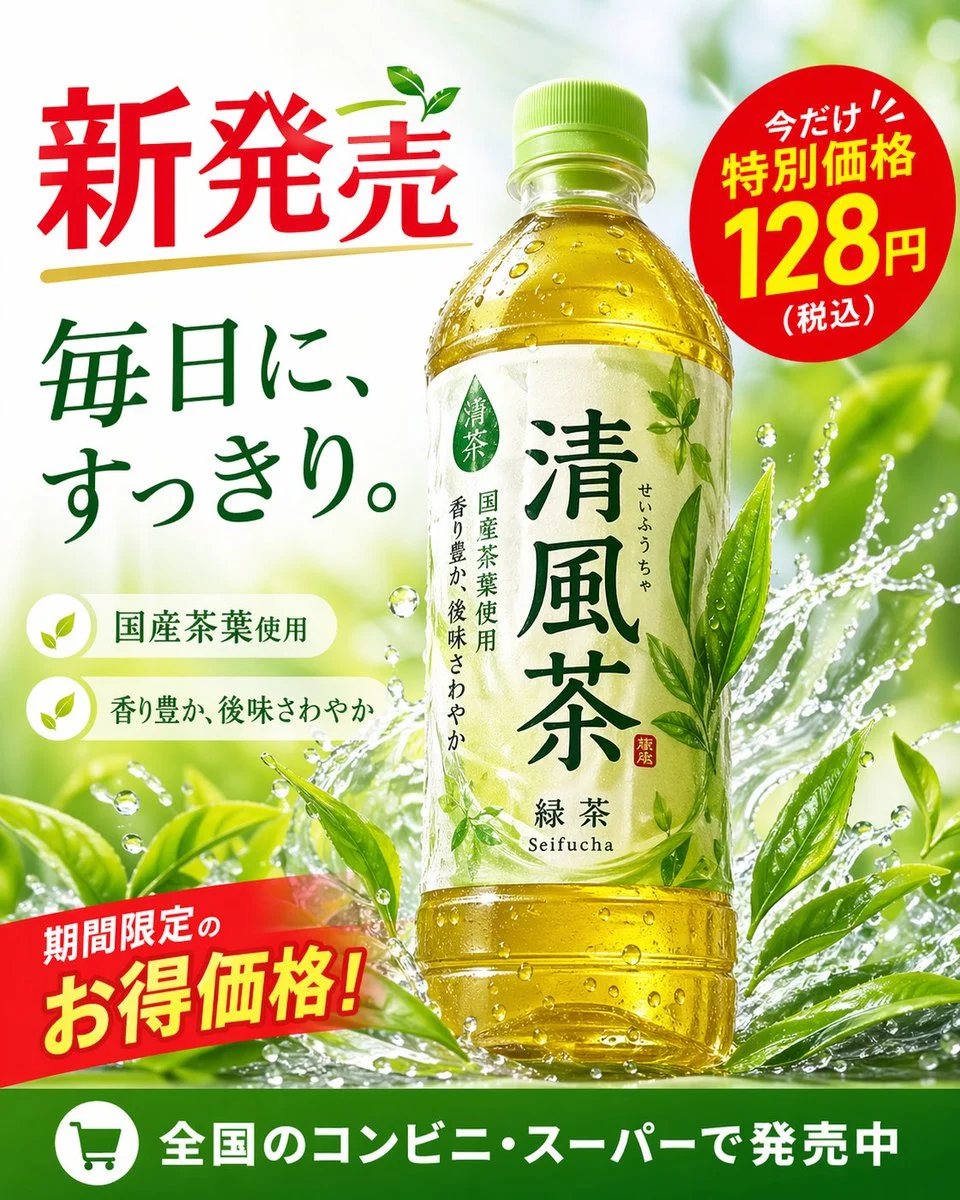
{"type": "promotional advertisement poster for a bottled green tea beverage", "product": {"type": "clear plastic PET bottle filled with yellow-green tea", "label": "white label with green typography, featuring the produc
AI-generated demonstration · #140 · Posters & Editorial · 16/9
Prompt
{"type": "promotional advertisement poster for a bottled green tea beverage", "product": {"type": "clear plastic PET bottle filled with yellow-green tea", "label": "white label with green typography, featuring the product name '{argument name=\"product name\" default=\"清風茶\"}', subtitle '緑茶 Seifucha', and vertical text '国産茶葉使用' and '香り豊か、後味さわやか'"}, "background": "bright, fresh, sunlit outdoor atmosphere with dynamic water splashes wrapping around the bottle and vibrant green tea leaves", "layout": {"sections": [{"title": "headline", "position": "top-left", "text": "{argument name=\"main headline\" default=\"新発売\"}", "style": "large red text with a gold underline and a small green leaf accent"}, {"title": "catchphrase", "position": "mid-left", "text": "{argument name=\"catchphrase\" default=\"毎日に、すっきり。\"}", "style": "dark green text"}, {"title": "features", "position": "lower-left", "count": 2, "labels": ["国産茶葉使用", "香り豊か、後味さわやか"], "style": "white pill-shaped banners with green leaf icons"}, {"title": "price_badge", "position": "top-right", "text": "今だけ!! 特別価格 {argument name=\"price\" default=\"128円\"} (税込)", "style": "red circular sticker with white and yellow text"}, {"title": "promo_banner", "position": "bottom-left", "text": "期間限定のお得価格!", "style": "angled red ribbon with yellow and white text"}, {"title": "footer", "position": "bottom-edge", "text": "{argument name=\"footer text\" default=\"全国のコンビニ・スーパーで発売中\"}", "style": "solid green horizontal bar with a white shopping cart icon"}]}}Style Breakdown
Separate the main visual, headline area, and supporting information into a clear hierarchy. Describe light direction and a limited palette to connect those layers.
Recommended Parameters / Aspect Ratio
Start with the template aspect ratio 16/9 to preserve the demonstrated framing. Use a standard preview resolution first, then increase output size after the composition works. Model-specific steps and guidance values are not supplied for this example; use your selected provider's defaults and adjust one setting at a time. Results vary between models.
Review Your Result
Inspect margins, letter shapes, and the visual balance between filled areas and empty space. Typeset final copy separately when exact wording matters.
Use Case Scenarios
Use this approach for concept posters, event direction boards, or publication layouts. Replace sample copy with your own and verify all claims before release.
Templates demonstrate visual techniques. They are not evidence of real events or endorsements. Use fictional subjects and authorized materials. Report concerns to [email protected].