
Brand visual identity map
Brand visual identity diagram - GPT-Image2 industrial-grade reverse engineering prompt word template.
AI-generated demonstration · #186 · Branding & Architecture · 16/9
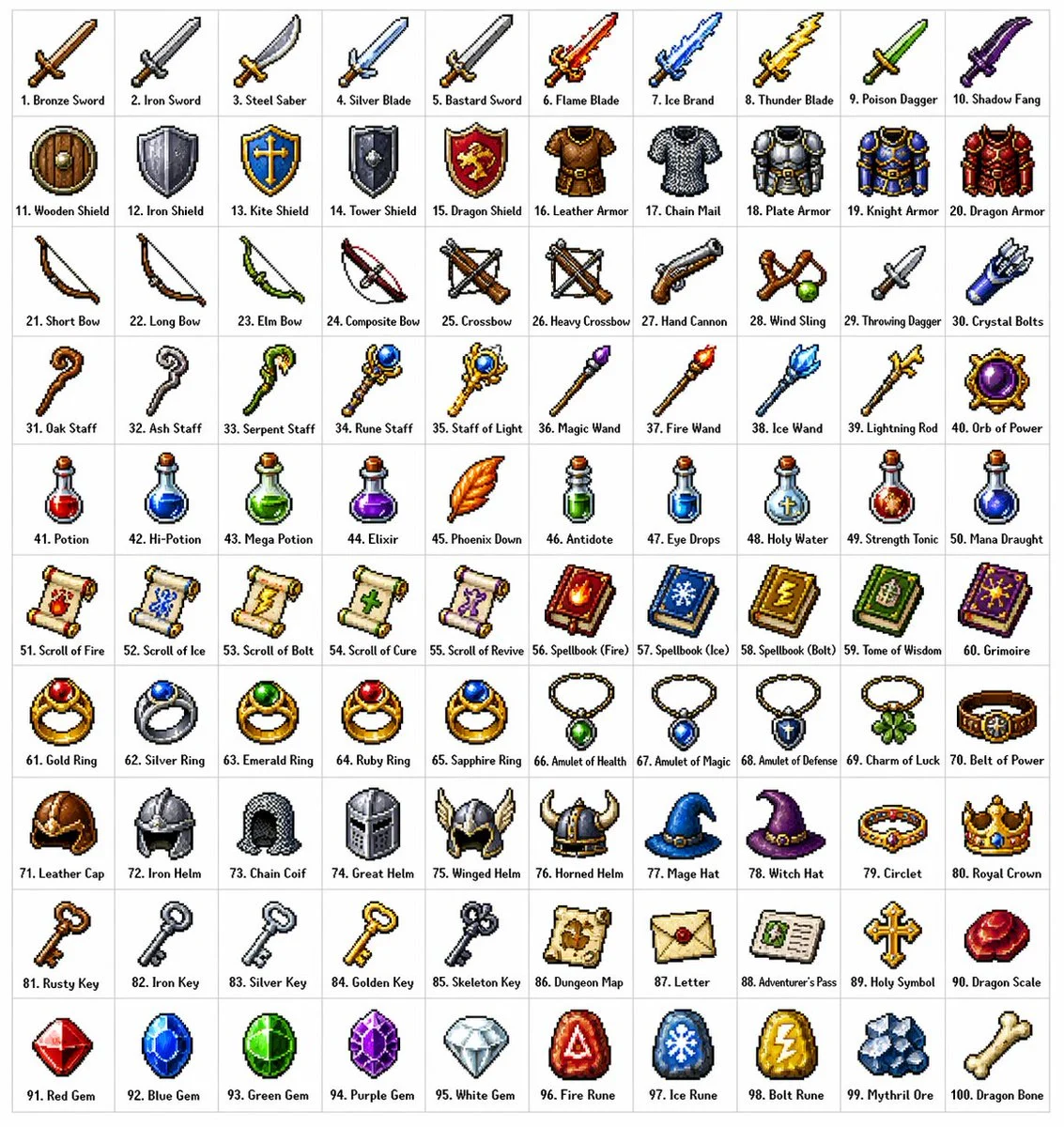
Prompt
[中文]
创建一个包含100种不同奇幻RPG物品的10×10网格,以经典像素艺术风格渲染(16位或32位精灵图美学,让人联想到SNES/GBA时代的日式RPG)。每个物品应出现在其独立的方形瓷砖中,下方带有简短清晰的标签。在白色背景上保持网格整洁。使每个物品在视觉上都有所区分,并且每个标签拼写正确。使用清晰的像素边缘、每个精灵图有限的调色板,以及用于阴影的微妙抖动。
使用这些行主题:
第1行:剑与刀刃
第2行:盾牌与盔甲
第3行:弓、弩与远程武器
第4行:法杖、魔杖与魔法焦点
第5行:药水、灵药与烧瓶
第6行:卷轴、典籍与法术书
第7行:戒指、护身符与附魔小饰品
第8行:头盔、王冠与头饰
第9行:钥匙、遗物与任务物品
第10行:宝石、符文与制作材料
将每个瓷砖显示为干净背景方形上居中的物品精灵图,渲染为经典的库存图标——你在奇幻RPG菜单中会看到的那种。保持整体风格一致、连贯,并让人联想到备受喜爱的复古奇幻RPG——迷人、细节丰富,且在小尺寸下易于辨认。

[English]
Create a 10 × 10 grid of 100 different fantasy RPG items rendered in classic pixel art style (16-bit or 32-bit sprite aesthetic, reminiscent of SNES/GBA-era JRPGs). Each item should appear in its own square tile with a short clear label underneath. Keep the grid neat on a white background. Make every item visually distinct and every label correctly spelled. Use crisp pixel edges, limited palette per sprite, and subtle dithering for shading.
Use these row themes:
Row 1: swords and blades
Row 2: shields and armor
Row 3: bows, crossbows, and ranged weapons
Row 4: staves, wands, and magical foci
Row 5: potions, elixirs, and flasks
Row 6: scrolls, tomes, and spellbooks
Row 7: rings, amulets, and enchanted trinkets
Row 8: helmets, crowns, and headgear
Row 9: keys, relics, and quest items
Row 10: gems, runes, and crafting materials
Show each tile as a centered item sprite on a clean background square, rendered as a classic inventory icon — the kind you'd see in a fantasy RPG menu. Keep the overall style consistent, cohesive, and reminiscent of beloved retro fantasy RPGs — charming, detailed, and instantly readable at small sizes.
Style Breakdown
Build the composition around shape, proportion, and a consistent material palette. Use a clear focal point and a controlled relationship between light and shadow.
Recommended Parameters / Aspect Ratio
Start with the template aspect ratio 16/9 to preserve the demonstrated framing. Use a standard preview resolution first, then increase output size after the composition works. Model-specific steps and guidance values are not supplied for this example; use your selected provider's defaults and adjust one setting at a time. Results vary between models.
Review Your Result
Check perspective, repeated elements, material transitions, and text at full resolution. Generated details can suggest structures that are physically impractical.
Use Case Scenarios
Use the result to compare mood boards or discuss spatial and identity concepts. Validate technical feasibility and intellectual property before applying the direction commercially.
Templates demonstrate visual techniques. They are not evidence of real events or endorsements. Use fictional subjects and authorized materials. Report concerns to [email protected].