
Brand Envelope Product Advertising
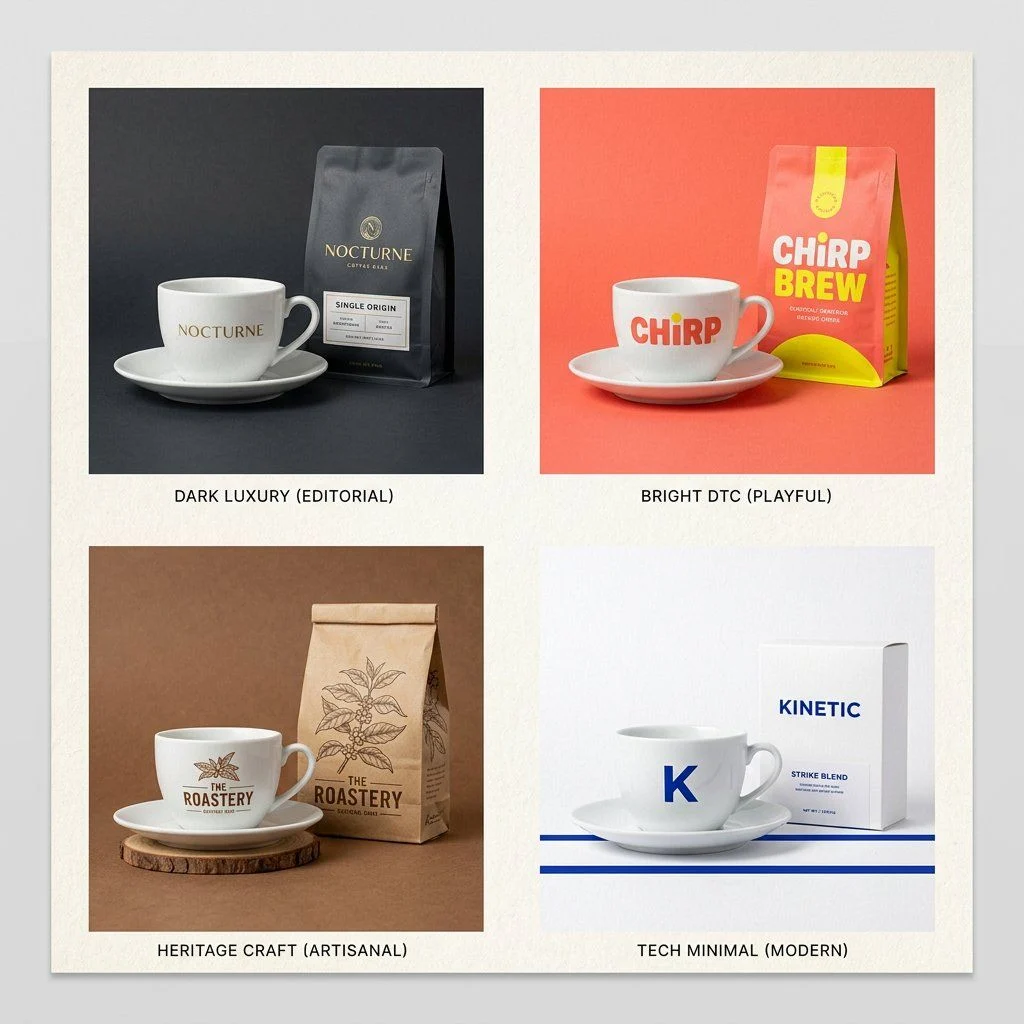
The Brand Envelope | GPT Image-2 Prompt #89 This takes any product photo and wraps it in your specific brand world. Different product each time. Same brand, every time. PHASE 1 / ANCHOR: Describe [BRAND IDENTITY] in 2 li
AI-generated demonstration · #386 · Branding & Architecture · 16/9
Prompt
The Brand Envelope | GPT Image-2 Prompt #89

This takes any product photo and wraps it in your specific brand world. Different product each time. Same brand, every time.

PHASE 1 / ANCHOR: Describe [BRAND IDENTITY] in 2 lines. Palette, texture, mood.
PHASE 2 / INJECT: Place [PRODUCT] inside that brand world, not the reverse.
PHASE 3 / FORMAT: Set [OUTPUT FORMAT]. Hero, square ad, or story.
PHASE 4 / SIGNATURE: Apply [BRAND ELEMENT]. Grain, shadow, or overlay.

Swap: [BRAND IDENTITY] / [PRODUCT] / [FORMAT]
Style Breakdown
Build the composition around shape, proportion, and a consistent material palette. Use a clear focal point and a controlled relationship between light and shadow.
Recommended Parameters / Aspect Ratio
Start with the template aspect ratio 16/9 to preserve the demonstrated framing. Use a standard preview resolution first, then increase output size after the composition works. Model-specific steps and guidance values are not supplied for this example; use your selected provider's defaults and adjust one setting at a time. Results vary between models.
Review Your Result
Check perspective, repeated elements, material transitions, and text at full resolution. Generated details can suggest structures that are physically impractical.
Use Case Scenarios
Use the result to compare mood boards or discuss spatial and identity concepts. Validate technical feasibility and intellectual property before applying the direction commercially.
Templates demonstrate visual techniques. They are not evidence of real events or endorsements. Use fictional subjects and authorized materials. Report concerns to [email protected].