
Q-Role Emote
Replace "[Role in reference image]" in the prompt with a specific description of the character's characteristics, or upload a reference image directly.
AI-generated demonstration · #YM-021 · UI & UX Design · 1024/1024
Prompt
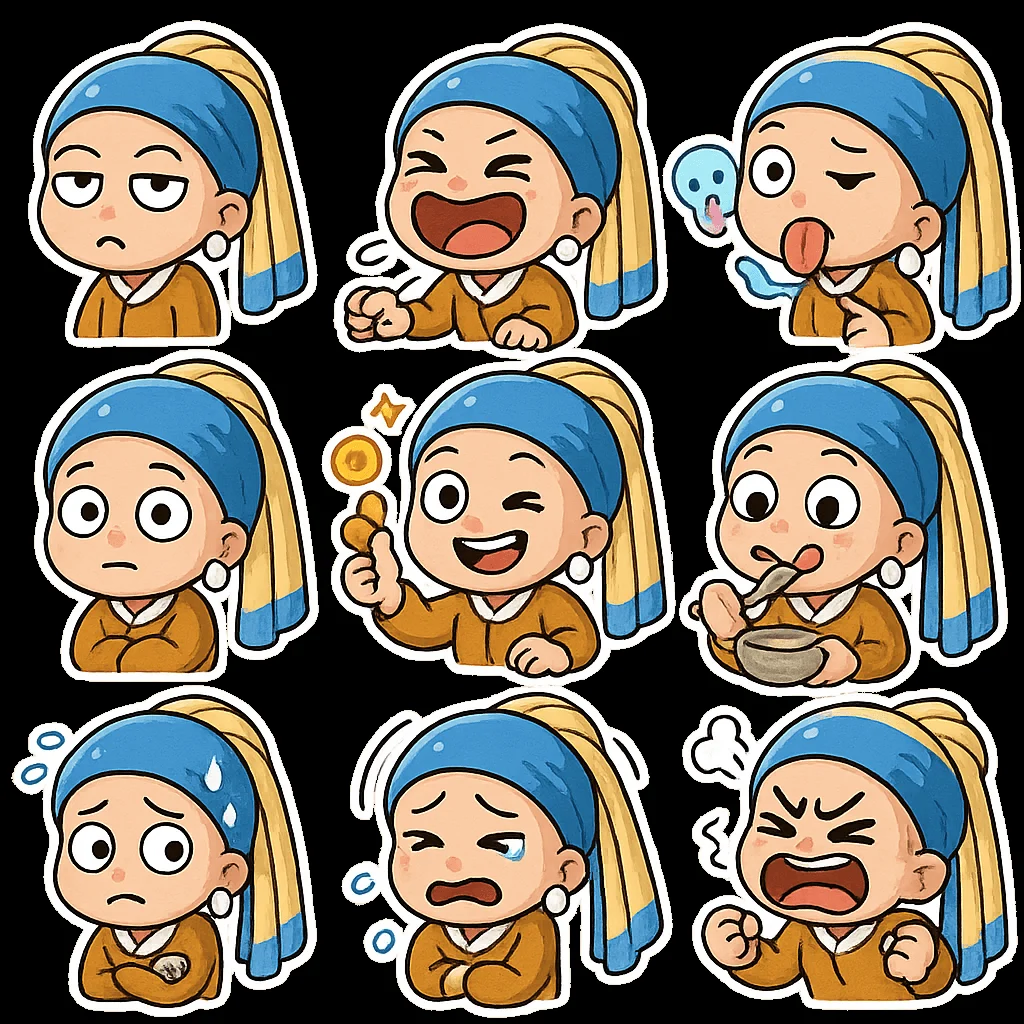
请创作一套以 [参考图片中的角色] 为主角的Q版表情包,共9个,排列成3x3网格。
设计要求:
- 透明背景。
- 1:1正方形构图。
- 统一的Q版吉卜力卡通风格,色彩鲜艳。
- 每个表情的动作、神态、内容各不相同,需要体现“骚、贱、萌、抓狂”等多样情绪,例如:翻白眼、捶地狂笑、灵魂出窍、原地石化、撒钱、干饭状态、社交恐惧发作等。可融入打工人和网络热梗元素。
- 每个表情形象完整,无残缺。
- 每个表情均带有统一的白色描边,呈现贴纸效果。
- 画面中无多余、分离的元素。
- 严格禁止出现任何文字,或确保文字内容准确无误(优先选择无文字)。
Style Breakdown
Use spacing, type scale, and a clear primary action to establish hierarchy. Keep labels short and use invented account names and neutral navigation.
Recommended Parameters / Aspect Ratio
Start with the template aspect ratio 1024/1024 to preserve the demonstrated framing. Use a standard preview resolution first, then increase output size after the composition works. Model-specific steps and guidance values are not supplied for this example; use your selected provider's defaults and adjust one setting at a time. Results vary between models.
Review Your Result
Review button alignment, text legibility, and repeated component spacing at full size. A generated interface is a visual concept, not working software.
Use Case Scenarios
Use this exercise for early wireframe discussions or visual direction boards. Rebuild the approved layout in accessible HTML before testing it with users.
Templates demonstrate visual techniques. They are not evidence of real events or endorsements. Use fictional subjects and authorized materials. Report concerns to [email protected].