
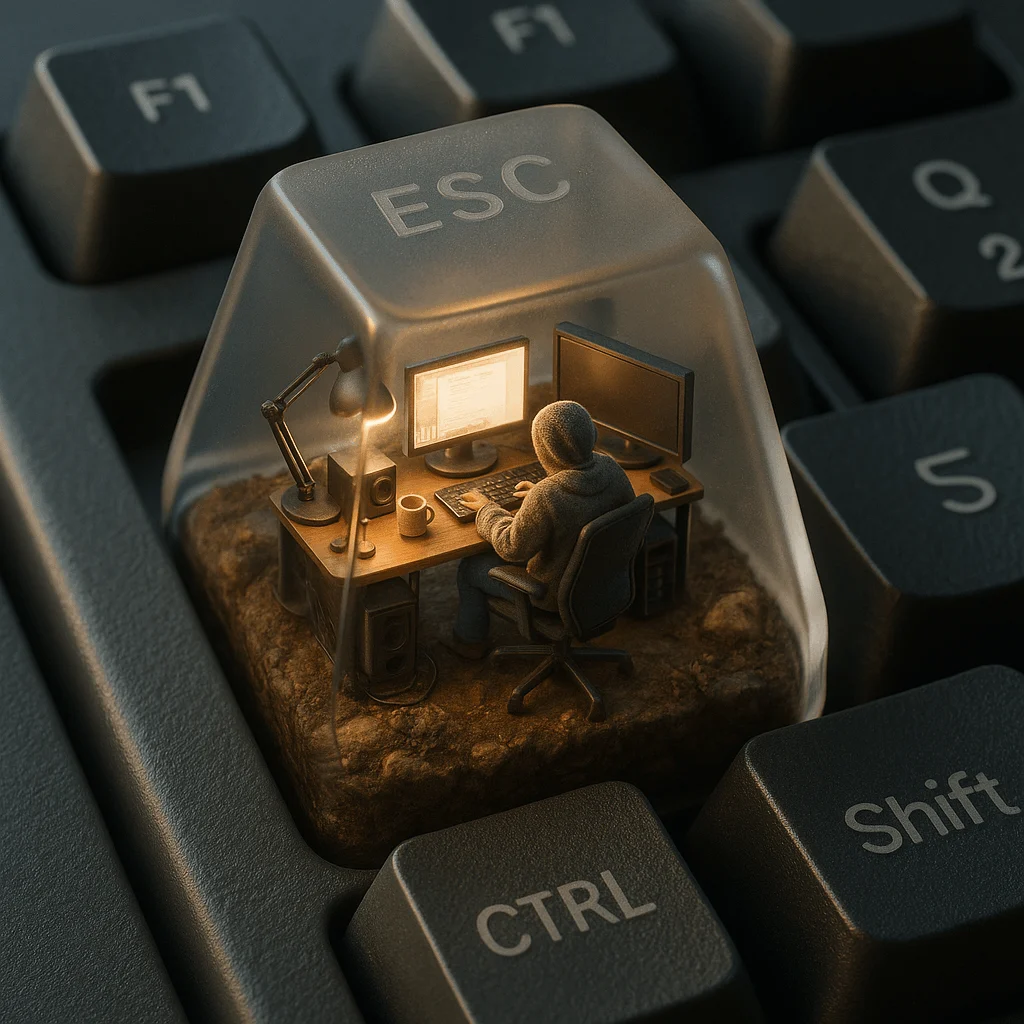
Keyboard ESC keycap mini stereoscopic model
Professional product branding design and mockups translated from master prompt templates.
AI-generated demonstration · #YM-047 · 3D Characters & Figurines · 1024/1024
Prompt
一个超写实的等距视角 3D 渲染图,展示了一个微型电脑工作空间,置于一个半透明的机械键盘键帽内,键帽特别放置在一块真实哑光表面的机械键盘的 ESC 键上。
键帽内部,一个穿着舒适、有纹理连帽衫的小人坐在现代人体工学椅上,正专注地面对一块发光的超写实电脑屏幕工作。整个空间布满了逼真的微型科技配件:真实材质的台灯、带有反射效果的显示器、微小的扬声器格栅、缠绕的电缆以及陶瓷杯子。
场景底部由土壤、岩石和苔藓构成,拥有照片级的材质质感和自然瑕疵。键帽内的光照模拟清晨自然阳光,投下柔和阴影与温暖光调;而键帽外部则受周围键盘环境的冷色调反射影响。
“ESC”字样以微弱的磨砂玻璃效果蚀刻在半透明键帽顶部——根据视角不同,仅隐约可见。
周围的按键如 F1、Q、Shift 和 CTRL 均清晰可见,拥有真实材质纹理与光照。整体画面仿佛由高端手机相机拍摄,具备浅景深、完美白平衡与电影感细节。
Style Breakdown
Describe the geometry, material roughness, camera angle, and background independently. Soft contact shadows help a miniature object feel grounded in the scene.
Recommended Parameters / Aspect Ratio
Start with the template aspect ratio 1024/1024 to preserve the demonstrated framing. Use a standard preview resolution first, then increase output size after the composition works. Model-specific steps and guidance values are not supplied for this example; use your selected provider's defaults and adjust one setting at a time. Results vary between models.
Review Your Result
Check seams, repeated parts, scale consistency, and where the object touches its surface. Remove accidental logos or readable text that was not requested.
Use Case Scenarios
Use the exercise for original collectible concepts, object studies, or product direction boards. Keep the design original and obtain relevant rights before manufacturing or commercial use.
Templates demonstrate visual techniques. They are not evidence of real events or endorsements. Use fictional subjects and authorized materials. Report concerns to [email protected].