
3D Emoji
Create a high-resolution 3D render of [🧸] and design it as an inflatable, fluffy object. It should look soft, round and airy - like a plush balloon or an inflatable toy. Use a smooth matte texture with subtle fabric folds and seams to accentuate it
AI-generated demonstration · #YM-20007 · UI & UX Design · 1024/1024
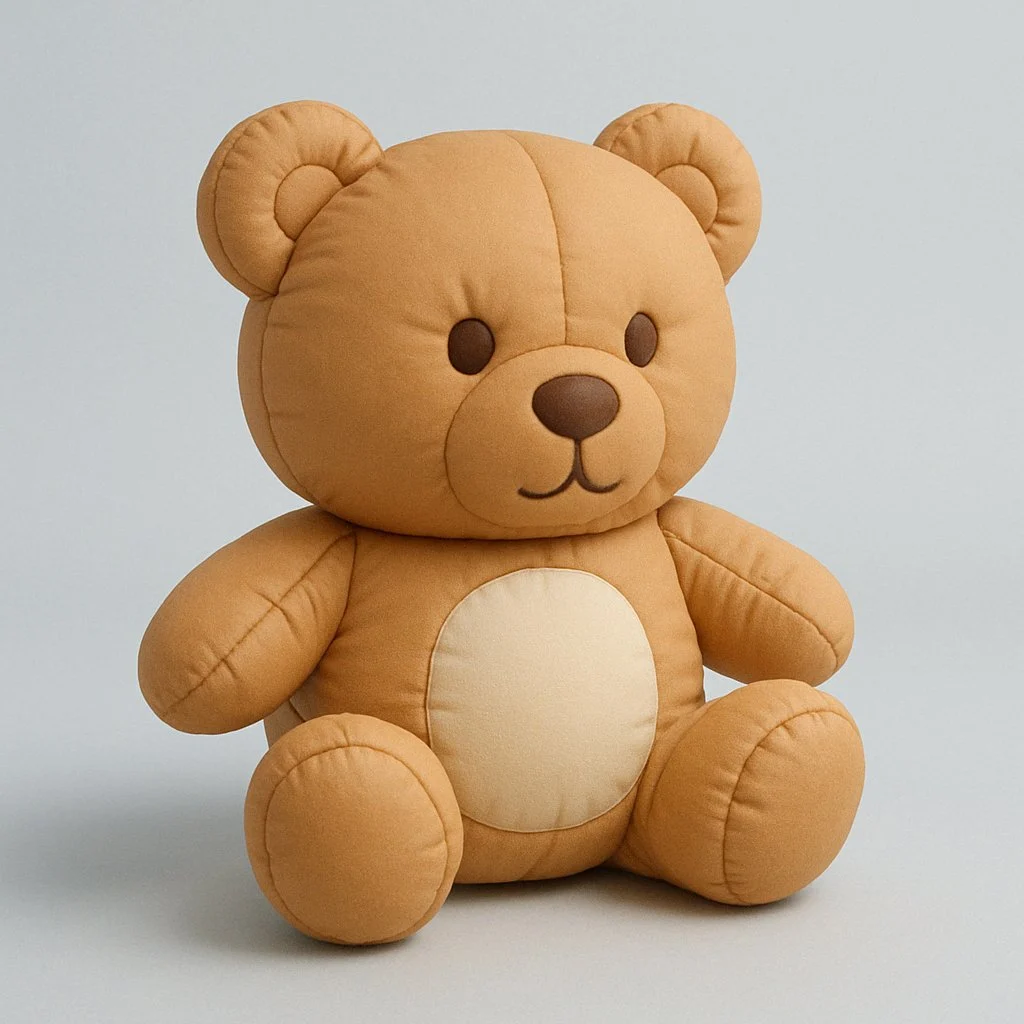
Prompt
创建 [🧸] 的高分辨率 3D 渲染图,将其设计为一个可充气的蓬松物体。其形状应看起来柔软、圆润且充满空气——就像毛绒气球或充气玩具一样。

使用光滑的哑光纹理,并搭配细微的织物褶皱和缝线,以强调其充气效果。其形状应略微不规则且柔软,并配以柔和的阴影和灯光,以突出其体积感和真实感。将其放置在干净简约的背景(浅灰色或淡蓝色)上,并保持俏皮的雕塑美感。
Style Breakdown
Use spacing, type scale, and a clear primary action to establish hierarchy. Keep labels short and use invented account names and neutral navigation.
Recommended Parameters / Aspect Ratio
Start with the template aspect ratio 1024/1024 to preserve the demonstrated framing. Use a standard preview resolution first, then increase output size after the composition works. Model-specific steps and guidance values are not supplied for this example; use your selected provider's defaults and adjust one setting at a time. Results vary between models.
Review Your Result
Review button alignment, text legibility, and repeated component spacing at full size. A generated interface is a visual concept, not working software.
Use Case Scenarios
Use this exercise for early wireframe discussions or visual direction boards. Rebuild the approved layout in accessible HTML before testing it with users.
Templates demonstrate visual techniques. They are not evidence of real events or endorsements. Use fictional subjects and authorized materials. Report concerns to [email protected].